
How to Upload Files
Follow these steps to export your royalty data from Getty Images and upload it to Todayis20.
1Log in to ESP
Go to esp.gettyimages.com and sign in with your Getty Images contributor account.
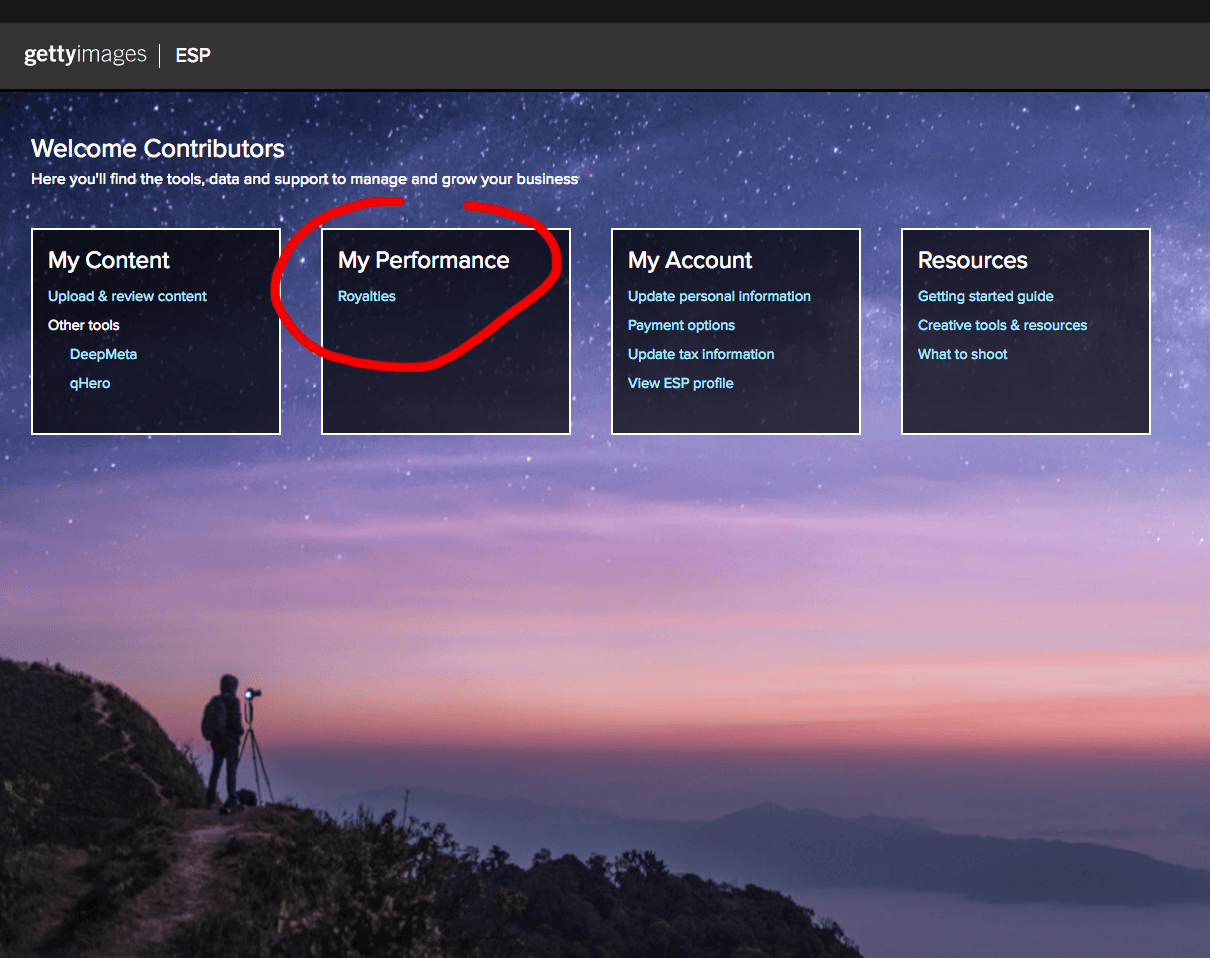
2Go to My Performance → Royalties
Click on My Performance in the top menu, then select Royalties.
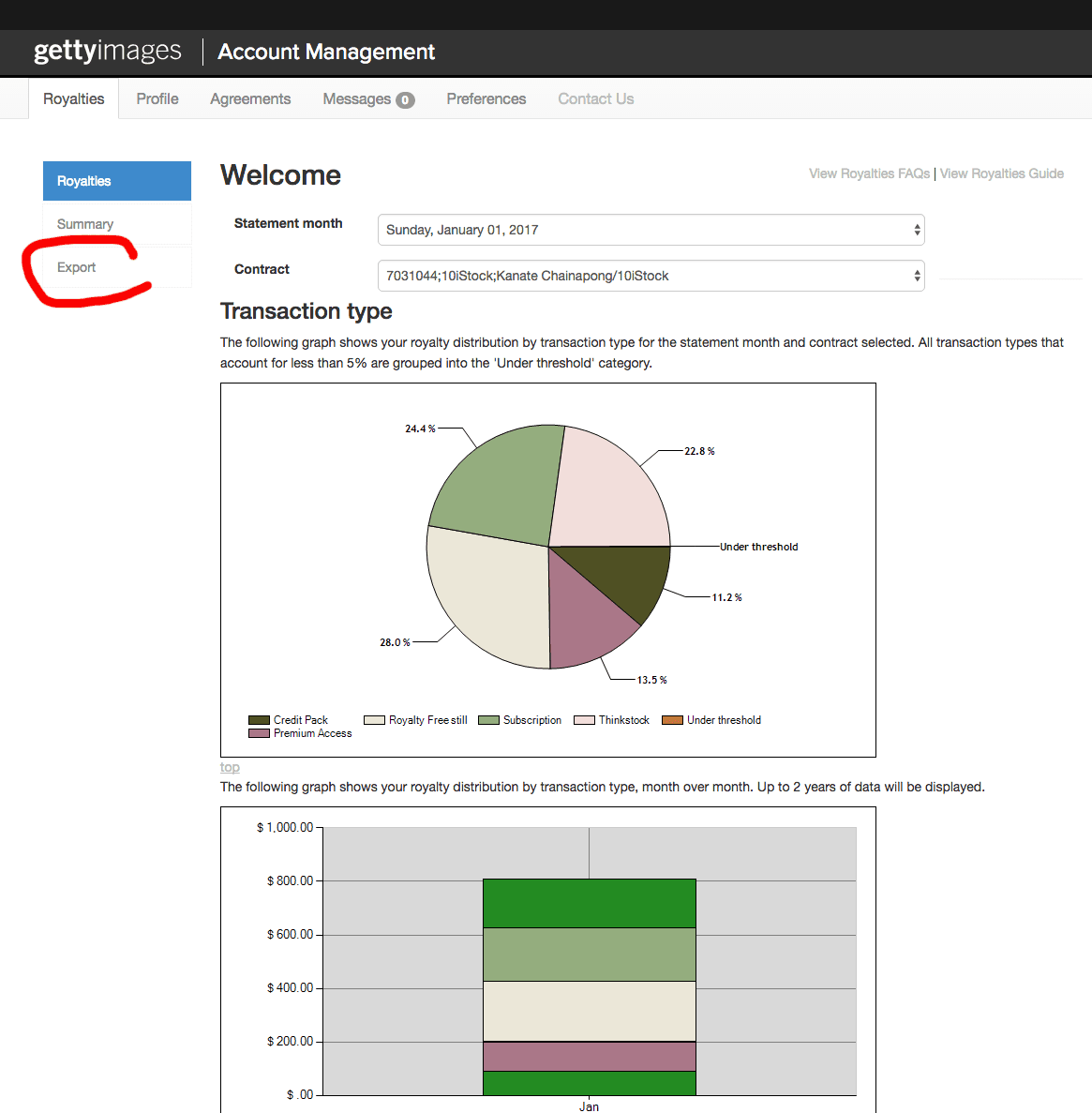
3Click on Export
On the Royalties page, click the Export button to generate your royalty file.
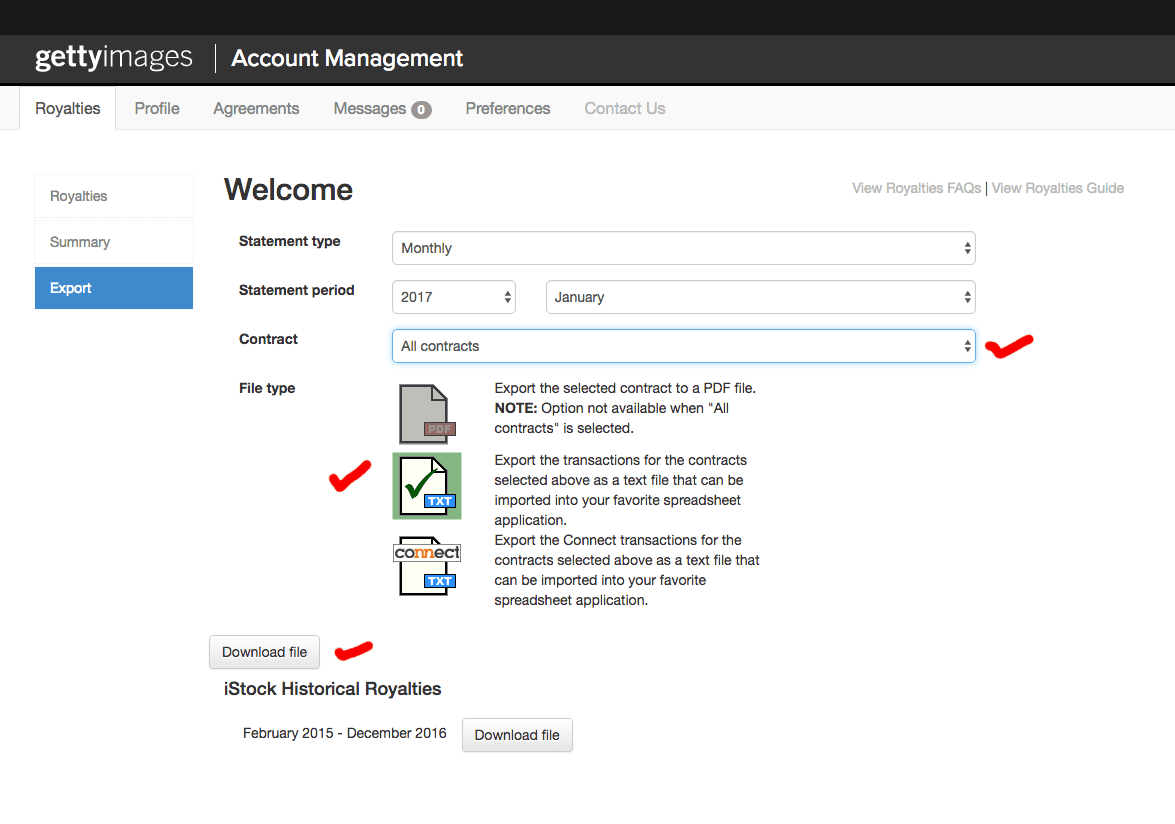
4Download the file
Click Download to save the royalty file to your computer.
5Upload to Todayis20
Head over to the File Upload page and upload the file you just downloaded. Your data will be processed and available in your dashboard within moments.