
Language issues with royalty month files
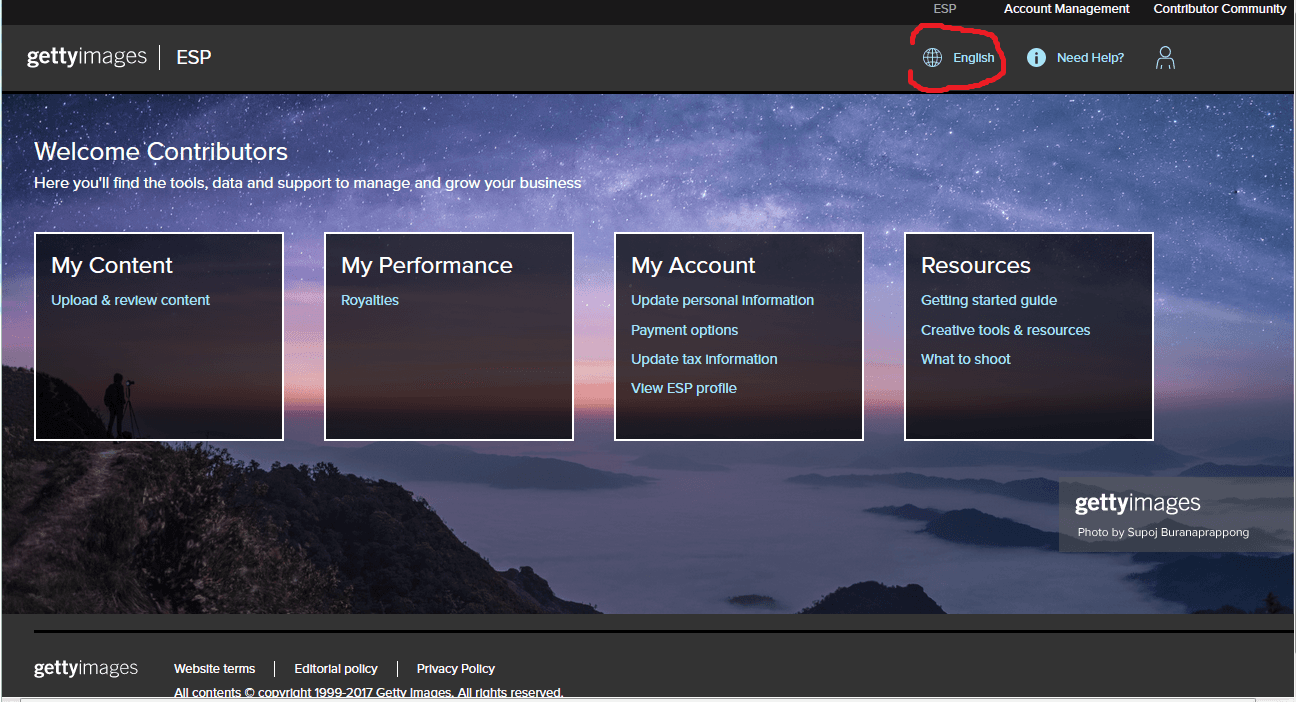
Since January 2017, the ESP portal lets contributors set the site language. This also affects the exported statements — if your language is not English, some sale data will be translated and Todayis20 won't be able to process it correctly.
The easiest fix is to set your ESP language back to English before downloading your royalty file.
1Log in to ESP
Go to esp.gettyimages.com and sign in with your Getty Images contributor account.
2Set language to English
Find the language selector (usually in the top navigation or your account settings) and set it to English.
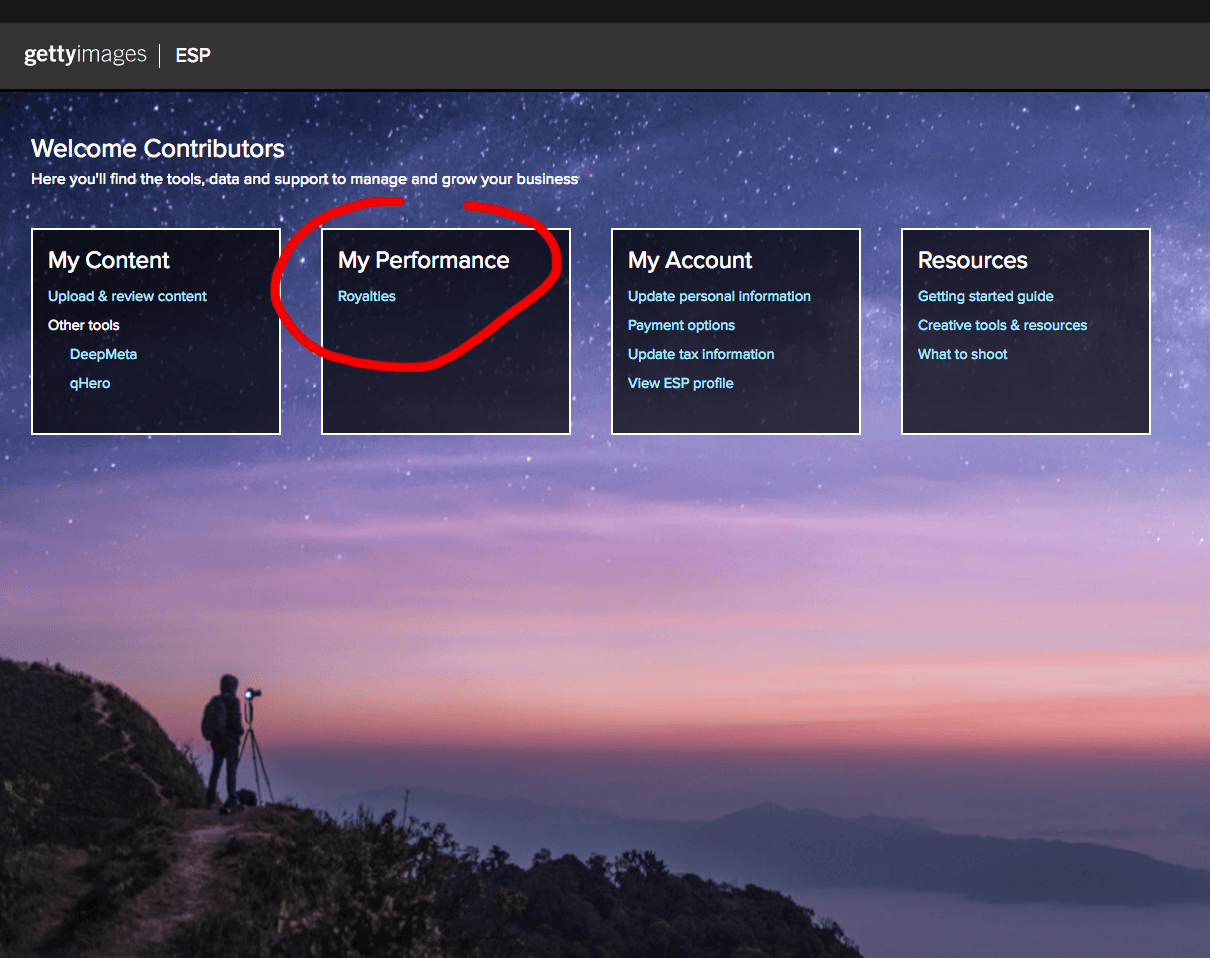
3Go to My Performance → Royalties
Click on My Performance in the top menu, then select Royalties.
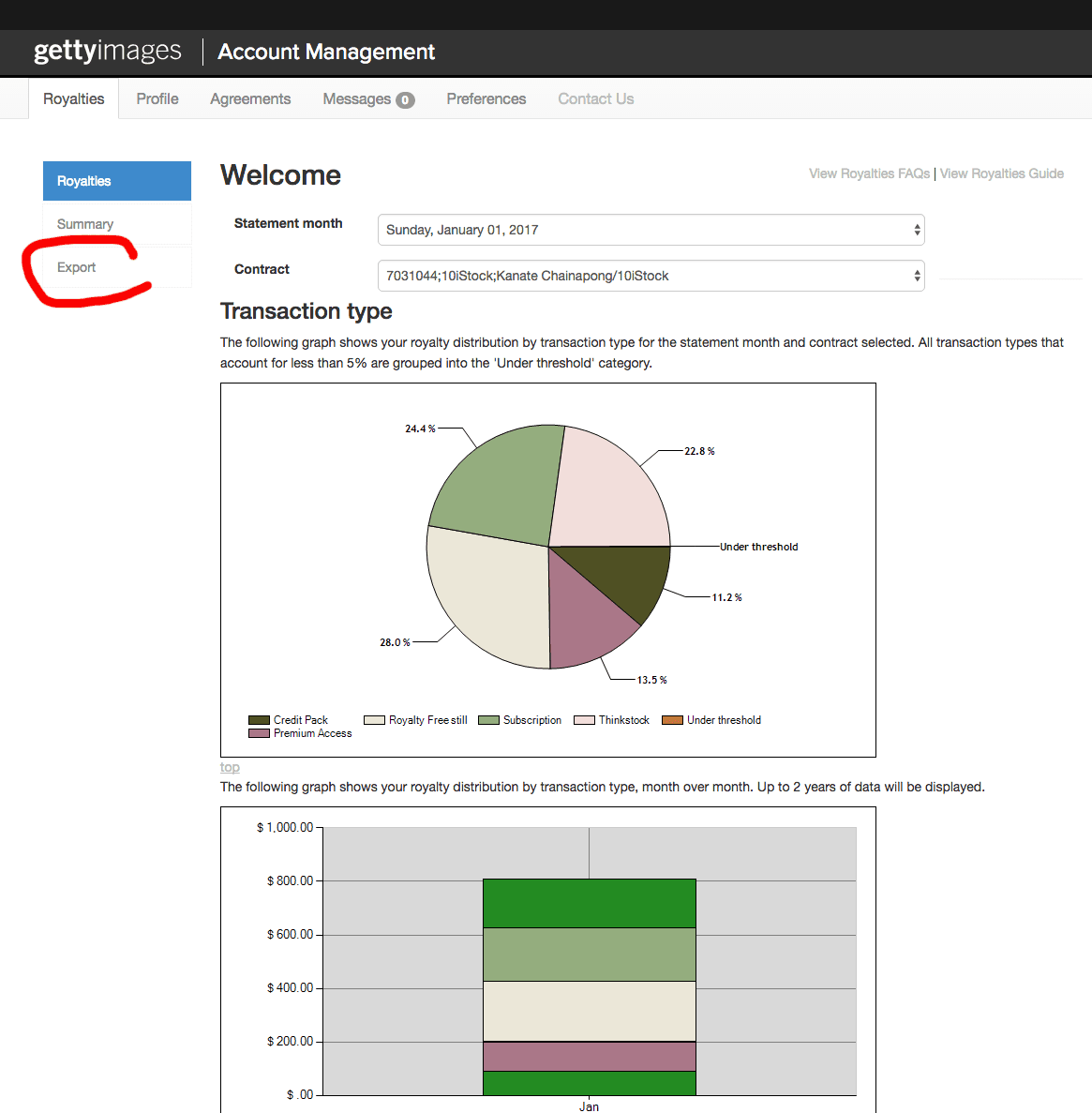
4Click on Export
On the Royalties page, click the Export button.
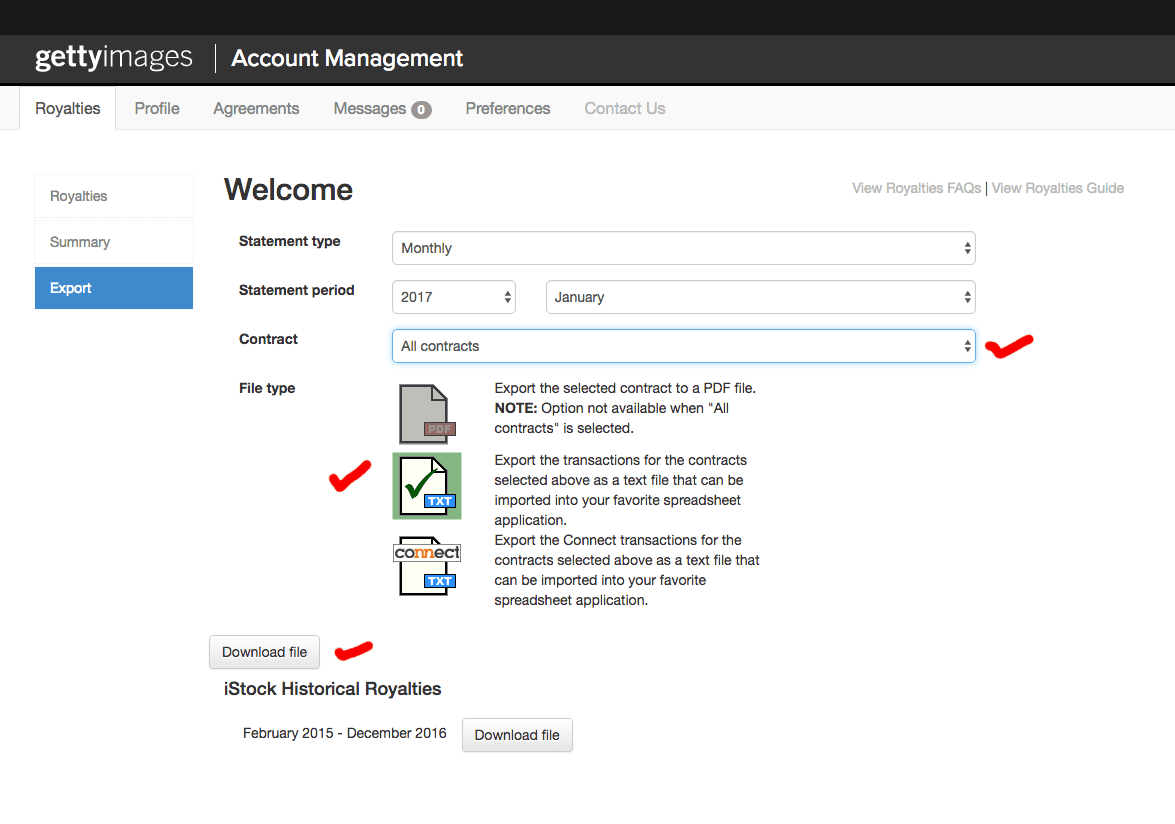
5Download the file
Click Download to save the royalty file (now in English) to your computer.
6Upload the new file to Todayis20
Go to the File Manager and upload the file you just downloaded.
7Remove the old incorrect file
In the File Manager, delete the previously uploaded file that had the wrong language so your stats are calculated correctly.